

Start with the system, controller settings and visible connections before ordering a replacement.
1. Make the inspection safe
Park securely and lower the blade before inspecting connections. Keep people clear of the blade whenever you operate the controller. BOSS instructs owners to lower the blade when the vehicle is not in use.
2. Is the controller connected and awake?
Check that the controller is plugged in and switched on. SmartTouch2 enters sleep mode after 20 minutes with no use; turn it off, then on again to reset it. The RT3 Trip-Edge manual describes green and red flashing in sleep mode. This behavior alone does not establish a failed controller.
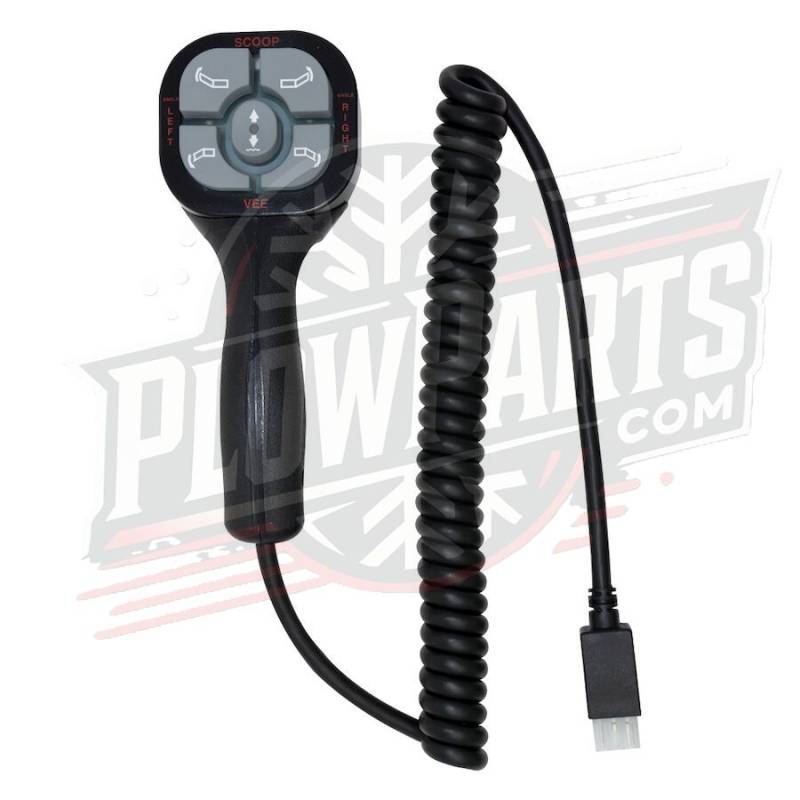
View this BOSS controller

View this BOSS controller

View this D-Force controller
3. Check power/ground and control connections
The BOSS RT3 troubleshooting table starts with confirming that power/ground cables and control cables are properly connected when the pump motor does not run. Inspect visible connections for damage or corrosion before further diagnosis. A click, a lit controller or one working function does not identify the failed part.
4. SmartHitch2 won’t attach?
BOSS’s RT3 Trip-Edge troubleshooting table calls for the vehicle key to be on and the controller in FLOAT. Follow your model’s complete mounting procedure; this is a settings check, not a substitute for confirming proper attachment.
For the standard V-plow and straight-blade SmartTouch2 controls described by BOSS, quickly press the center button down twice, or hold it down for two seconds, to enter FLOAT. The center LED turns red. Keep clear: the blade can lower as you select this mode.
5. Lights dim, flicker or don’t come on?
The RT3 manual directs you to check electrical connections and corroded or damaged terminals. It also calls for verifying the correct headlight adapters and their installation. Use the wiring diagram for your truck and lighting configuration before replacing parts.
Official BOSS RT3 troubleshooting PDFs
Choose the document for your blade type when you need more detailed symptom-based checks:
- RT3 straight-blade troubleshooting guide (PDF) — pump operation, raising/lowering, angling and lighting symptoms.
- RT3 V-blade troubleshooting guide (PDF) — pump operation, raising/lowering, wing extension/retraction, wing drift and lighting symptoms.
These BOSS documents describe RT3 configurations. Match their wiring and hydraulic components to your plow’s model, serial number and owner’s manual before using a test procedure. They are not Cold Front Technology / SmartTouch+ troubleshooting guides, and D-Force-equipped plows require their matching service information.
When basic checks don’t solve it
Record whether the controller lights, the motor runs, a relay clicks, any blade function works, and whether the problem affects the lights too. Provide the plow model/serial number, controller part number and connector photos when requesting help. Voltage, hydraulic-pressure and component tests should follow the matching BOSS service information.
BOSS electrical system and controller identification guide
- BOSS HTX parts list — STB10160 and straight-blade owner’s manual STB10140 Rev B — D-Force controller and indicators
- RT3 Trip-Edge manual TRP07882-11 — warnings (page 2), SmartTouch2 (page 25), troubleshooting (pages 27–30)
- BOSS SmartTouch2 controller operation — sleep mode and FLOAT
- Cold Front Technology and SmartTouch+ compatibility
Technical references checked October 13, 2026. Product photos are from PlowParts.com. These checks do not establish replacement-part compatibility.